Arabic and Bilingual Website Design for Dubai Businesses: Why Translation Is Not Localisation

A real estate developer in Dubai launched a bilingual website. The English version was professionally designed — clear navigation, strong photography, a conversion-focused layout leading to a consultation form. The Arabic version was the same site with Google Translate applied and a dir="rtl" attribute added to the HTML. Text ran right to left. The navigation, however, still had the logo on the left and the menu items flowing outward to the right. The hero image showed a person gesturing leftward — directly away from the Arabic reading flow. The font was a Latin typeface attempting to render Arabic characters. The CTA button sat in the bottom-left corner — the position of lowest visual prominence in an RTL layout.
The developer had a bilingual website. They did not have a bilingual user experience. And the Arabic-speaking visitors who arrived, read the first three seconds of that page, and immediately left were never counted — because nobody had configured Arabic vs English visitor tracking in GA4.
This is the gap between translation and localisation, and it is the most commercially significant design gap in Dubai's digital market. Arabic is the native language of the Emirati population and a primary language for a substantial proportion of Dubai's 3.6 million residents. According to Creamake's 2026 Dubai UX research, providing a high-quality localised Arabic experience is the most important factor Arabic-speaking consumers cite in online purchasing decisions. A translated website signals that Arabic speakers are an afterthought. A localised website signals the opposite — and in a trust-first market like Dubai's, that signal has a direct impact on conversion rates.
RTL Is a Full Layout Redesign, Not a Text Direction Attribute
The most common technical misconception about Arabic website design is that applying dir="rtl" to the HTML element creates an Arabic-ready layout. This attribute tells the browser that text should flow right to left — and nothing more. Every layout, navigation, visual, and interactive element must be reconsidered for RTL reading behaviour separately.
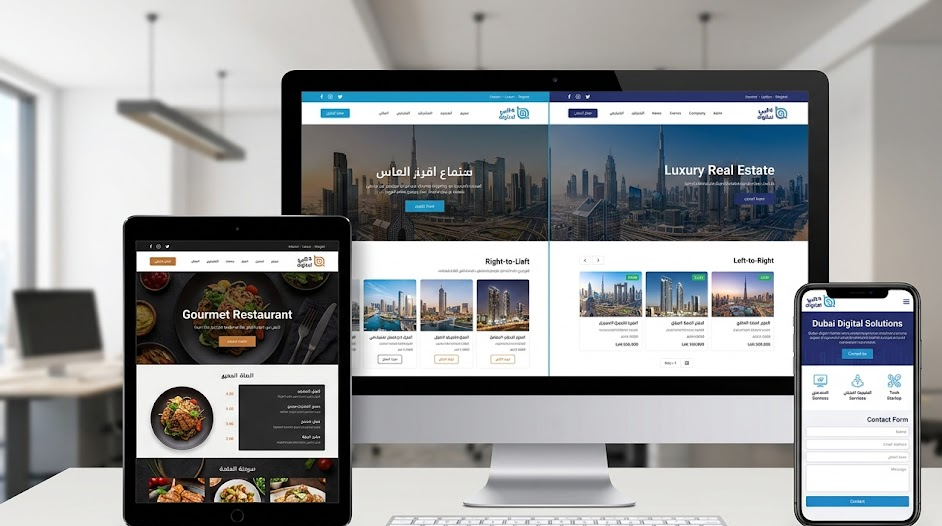
In an RTL layout, the logic of the page is mirrored. This is not simply cosmetic — it reflects a fundamentally different visual scanning pattern. Arabic readers begin at the top right of a page, move left along a line, and drop down. The elements that carry the most visual weight — the logo, the primary CTA, the hero headline — should occupy the right side of the layout for an Arabic audience, not the left. The progression of a story or a process should flow right to left, not left to right. A step-by-step process diagram showing steps 1 → 2 → 3 in an English layout should show 3 ← 2 ← 1 in Arabic, with step 1 on the right.
| Page Element | English (LTR) Position | Arabic (RTL) Required Position | Technical Implementation |
|---|---|---|---|
| Logo | Top left | Top right | margin-inline-start: auto (CSS logical property) |
| Navigation menu | Flows left → right | Flows right → left; first item on right | Flexbox reverses automatically with dir="rtl" |
| Dropdown arrow | Points right (▶) | Points left (◀) | .icon:dir(rtl) { transform: scaleX(-1); } |
| Breadcrumbs | Home › About › Contact (LTR) | Contact › About › Home (RTL) | Flexbox reversal + separator character direction |
| Progress indicator | Step 1 → 2 → 3 left to right | Step 1 ← 2 ← 3 right to left | CSS logical properties or explicit RTL stylesheet |
| Form field labels | Left-aligned above or beside field | Right-aligned; field flows right to left | text-align: start in logical properties |
| Primary CTA button | Right side or centre of hero | Left side in RTL mirror (was right in LTR) | Positional logic reverses with CSS flexbox |
| Sidebar layout | Sidebar on left; main content on right | Sidebar on right; main content on left | CSS Grid column order reverses automatically in RTL |
| Scroll/slider arrows | ← previous | next → | → previous | next ← | Arrow icons must be mirrored; carousel direction reversed |
margin-inline-start instead of margin-left, padding-inline-end instead of padding-right, text-align: start instead of text-align: left. These properties automatically apply the correct physical value based on the document's text direction. AivenSoft's 2026 RTL guide confirms that CSS Logical Properties have excellent browser support across all UAE-relevant browser versions (96%+ smartphone penetration on modern OS), making them the correct approach for new builds. Combined with dir="rtl" on the HTML element, Flexbox and CSS Grid containers automatically reverse their layout direction without additional CSS.
Arabic Typography: The Decisions That Most Affect Readability
Typography is where the gap between a translated website and a localised one is most immediately visible to an Arabic reader. Three decisions determine whether Arabic text reads professionally or looks broken.
Font Selection — Use a Dedicated Arabic Web Font
Arabic typefaces are distinct design systems, not Latin fonts extended to cover Arabic characters. A Latin typeface attempting to render Arabic characters will produce poor ligature quality, incorrect kerning, and missing diacritical marks (harakat) — the result is immediately recognisable as unprofessional to any Arabic reader. The correct approach is to select a dedicated Arabic web font and pair it with the English typeface used on the site.
All three are available through Google Fonts at no cost and can be loaded via the standard Google Fonts API. For performance, load only the font weights you need (400 and 700 cover most use cases) and use the display=swap parameter to prevent invisible text during font loading — a particularly important optimisation on mobile, where the Arabic version of a Dubai website is most likely to be read.
Font Size — Arabic Requires 15–20% Larger
Arabic characters are more compact horizontally than their Latin equivalents at the same pixel size, which causes Arabic text to appear visually lighter and smaller than English text rendered at the same font size. Branding Blitz's 2026 bilingual design guide recommends starting with Arabic text approximately 15–20% larger than the English equivalent and adjusting visually for equal weight — not equal point size. At a practical level: if your English body copy is 16px, set the Arabic body copy to 18–19px. If your English H2 is 28px, Arabic H2 should be 32–34px. This single adjustment significantly improves the perception of quality in the Arabic version.
Line Height — Arabic Needs More Space Between Lines
Arabic characters have tall ascenders and deep descenders. A standard English line height (1.5–1.6 for body text) causes Arabic lines to collide or feel uncomfortably cramped. Set line height for Arabic text sections to a minimum of 1.8, and 2.0 for smaller body text sizes. This is a simple CSS rule applied to the RTL version: [dir="rtl"] body { line-height: 1.9; }. The result is immediately more readable and more professional-looking Arabic text across the entire site.
The text expansion issue has a practical implication for project workflow: design English and Arabic simultaneously from the start, not sequentially. The most common and expensive mistake in bilingual website projects is completing the English design and then attempting to fit Arabic into the same fixed-width layouts. Arabic CTA button text that expands 35% from the English original does not fit a button sized for the English label. Arabic headlines that expand 25% wrap unexpectedly in the hero section. Building both language versions in parallel, using flexible layouts designed to accommodate the Arabic text range, prevents this problem at the design stage rather than during development.
Cultural Localisation: Beyond the Technical Layer
Technical RTL implementation and Arabic typography create the structural conditions for a professional Arabic experience. Cultural localisation determines whether that experience feels genuinely local or merely technically correct. The distinction matters commercially: Arabic-speaking visitors to a technically correct but culturally generic site will engage less deeply and convert less reliably than visitors to a site that feels made for them specifically.
Imagery and Photography
The photography and imagery on an Arabic website should reflect the cultural context of the audience. For Dubai's market, this means several practical decisions. People shown in images should reflect the demographic diversity of Dubai's population authentically, not default to Western stock photography simply translated to an RTL page. Lifestyle images — offices, homes, people using services — should feel relevant to Dubai's visual environment: the architecture, the interiors, the settings that an Emirati or Arab expat in Dubai recognises as their own context. Images showing people gesturing or looking in a particular direction should be reviewed for RTL reading flow: a person gesturing or looking rightward in an English layout is naturally pointing toward the content; the same image on an Arabic RTL page may point directly away from the content and should be replaced or mirrored.
The guideline from Arabic design practice is to flip images for RTL only when the flip maintains compositional balance — and to never flip images containing text, logos, or recognisable brand elements. When in doubt, source RTL-appropriate originals rather than flipping.
Content Tone and Arabic Varieties
Arabic is not a monolithic language for digital content purposes. The primary register choices for Dubai websites are Modern Standard Arabic (MSA) — the formal, pan-Arab written standard used across news media and official communications — and Gulf dialect, which is closer to the everyday speech of Emirati and Gulf Arabic speakers. For most Dubai business websites, MSA is the appropriate choice for service pages, legal texts, and evergreen content. It is understood by all Arabic speakers across nationalities and carries a professional register appropriate for B2B and professional services contexts.
The critical point is that this content must be written by a human Arabic speaker, not produced by machine translation. Machine translation of marketing copy produces text that is technically comprehensible but commercially useless — it lacks the idiomatic phrasing, the appropriate tone, and the cultural familiarity that makes a reader trust the brand behind it. WebCastle Technologies' bilingual website guide from 2025 is unequivocal on this: phrase-by-phrase translation does not provide context, capture metaphors, or produce the cultural resonance that converts Arabic visitors into clients. The investment in a human Arabic content writer is not optional for a website that is genuinely intended to serve an Arabic-speaking audience.
Trust Signals in Arabic
Trust signals — testimonials, certifications, partner logos, case studies — must exist in Arabic as well as English. An Arabic-speaking visitor who reads the Arabic service description and then finds that all the social proof is in English is receiving a subtle but clear signal: this company has English-speaking clients, not Arabic-speaking ones. For a brand positioning itself as a Dubai business serving the UAE market, this is a credibility gap. Arabic testimonials from local clients, Arabic-language case study summaries, and trade licences or certifications displayed in both language versions close this gap.
Arabic SEO: A Separate Strategy, Not a Translation of the English One
Bilingual websites have two separate SEO strategies: one for English queries and one for Arabic queries. These are not the same strategy applied in two languages — they are distinct keyword landscapes with different search volumes, different intent patterns, and different levels of competition.
The technical foundation is the hreflang attribute, which tells Google which language version of a page to show for which audience. Without hreflang tags correctly implemented, Google may index only one language version, serve the wrong version to the wrong audience, or treat the two versions as duplicate content and apply a penalty. The implementation requires a tag in each page's <head> section pointing to both versions:
<link rel="alternate" hreflang="en-AE" href="https://yoursite.com/en/page/" />
<link rel="alternate" hreflang="ar-AE" href="https://yoursite.com/ar/page/" />
<link rel="alternate" hreflang="x-default" href="https://yoursite.com/page/" />
Arabic keyword research must be conducted natively in Arabic — not by translating English keyword lists. Arabic search behaviour in the UAE uses vocabulary, phrasing structures, and query patterns that differ significantly from their English equivalents. A keyword like "property for sale Dubai" translates literally to Arabic, but the actual search queries UAE Arabic speakers use when looking for property include regional expressions, colloquial terms, and constructions that only emerge from native research using tools like Google Keyword Planner set to Arabic language and UAE region, or native speaker consultations. As covered in our SEO guide for Dubai businesses, Arabic SEO represents a substantial competitive opportunity — the Arabic-language search landscape for most Dubai business categories has significantly fewer optimised competitors than the English equivalent.
yoursite.com/ar/) and subdomain (ar.yoursite.com). For most Dubai SME websites, the subdirectory approach is preferred from an SEO perspective because it consolidates domain authority on a single domain. Do not use URL parameters (?lang=ar) for language switching — Google treats these pages inconsistently and they cannot be properly targeted with hreflang tags.
5 Technical Implementation Details Most Dubai Developers Miss
Beyond the layout, typography, and SEO layers, five specific technical details determine whether an Arabic website actually works correctly for its users — and are routinely missed in bilingual website projects.
- Numeral format. Arabic has two numeral systems: Western Arabic numerals (0–9, the standard globally) and Eastern Arabic numerals (٠١٢٣٤٥٦٧٨٩). For UAE business websites in 2026, Western numerals (0–9) are the correct choice. According to Creamake's 2026 Dubai UX research, Western numerals are the standard in UAE business, banking, and e-commerce. Eastern numerals are appropriate for government sites or highly traditional brands — not for commercial Dubai websites targeting a broad audience. If your CMS or e-commerce platform auto-converts numerals to Eastern Arabic based on the language setting, this should be overridden explicitly.
- Date format. Use DD/MM/YYYY in Arabic interfaces — this is the standard in UAE Arabic digital contexts. Do not use MM/DD/YYYY (US format) or YYYY-MM-DD (ISO format) as default in Arabic-facing UI. Date pickers should be configured to align with RTL direction and display in DD/MM/YYYY order.
- Phone number pre-fill. Forms with phone number fields should pre-fill the UAE country code (+971) on the Arabic version, with the field aligned right. A phone input that defaults to +1 (US) or +44 (UK) on the Arabic version is a jarring signal that the Arabic experience is built on a Western template with Arabic text applied — exactly the impression a properly localised site should avoid.
- Plugin and theme RTL compatibility testing. Not all WordPress plugins support RTL layouts. Contact form plugins, slider plugins, WooCommerce extensions, and page builder blocks must each be individually tested in RTL mode. As covered in our website maintenance guide, plugin updates can break RTL compatibility — meaning RTL-specific QA should be part of the maintenance cycle for any bilingual WordPress site, not just a one-time launch check.
- Arabic font performance. Arabic font files are typically larger than Latin equivalents due to the greater number of characters and ligature combinations required. An Arabic font loaded without optimisation can add 200–400 KB to page weight and delay First Contentful Paint — directly affecting Core Web Vitals and mobile performance. Use the Google Fonts API with the
text=parameter to load only the characters needed (where feasible), or use variable fonts with appropriate subsetting. Always usefont-display: swapto prevent invisible text during load.
- Navigation mirrors correctly in RTL — logo right, menu items right-to-left
- All dropdown arrows and directional icons are flipped
- Arabic font (Cairo, Tajawal, or Noto Arabic) rendering correctly on mobile and desktop
- Arabic body copy at least 15% larger font-size than English equivalent
- Line height set to minimum 1.8 for Arabic body text
- All form fields right-aligned; labels on right side; phone pre-fill +971
- Hero CTA prominent in RTL position (right side of layout)
- All images reviewed for RTL reading flow — no inappropriate flipping
- hreflang tags correct on every bilingual page (en-AE and ar-AE)
- Western numerals (0–9) confirmed — no auto-conversion to Eastern numerals
- Arabic content reviewed by a native Arabic speaker — not machine translation
- All plugins tested in RTL mode — contact forms, sliders, WooCommerce
- Page speed test run on Arabic version — Arabic font load time acceptable
WordPress and Shopify: Platform Considerations for Bilingual Sites
Platform choice directly determines how straightforward bilingual implementation is. As covered in our Shopify vs WooCommerce vs Adobe Commerce platform comparison, each platform has distinct bilingual capabilities.
WordPress is the most capable platform for bilingual Dubai websites, primarily because of the WPML (WordPress Multilingual Plugin) and Polylang plugins, which create true parallel content structures — separate Arabic and English versions of every page with distinct URLs, separate SEO metadata, correct hreflang implementation, and a language switcher that maintains the current page context across languages. Full custom RTL CSS is trivially implementable since WordPress allows complete theme file access. The trade-off is that maintaining two separate content versions doubles the content management overhead — every service page update must be applied in both languages.
Shopify handles bilingual content through its Translate & Adapt app, which creates translated versions of product and page content. RTL layout support on Shopify requires a theme that explicitly supports RTL mode — most premium Shopify themes do, but this must be confirmed before purchasing or building. Shopify's bilingual capability is improving but remains less capable than a custom WordPress WPML implementation for complex bilingual requirements, particularly around separate Arabic SEO metadata at scale.
Custom builds offer the most control: full CSS Logical Properties implementation from the ground up, designed with both language directions in mind simultaneously. For businesses where the Arabic experience is genuinely as important as the English one commercially — financial services, real estate, healthcare, government-adjacent services — a custom build is the most reliable path to a professional bilingual result. The higher initial cost is offset by the absence of the limitations and workarounds that template-based bilingual implementations inevitably require.
Key Takeaways
- Translation is not localisation. Applying
dir="rtl"and machine-translated text to an English website produces a technically Arabic-text site, not a localised Arabic experience. Arabic-speaking consumers in Dubai consistently identify a genuine local experience as their primary trust factor in online purchasing decisions — making the quality of the Arabic version a direct commercial variable, not a compliance exercise. - RTL is a full layout redesign. Logo moves to the right, navigation flows right to left, CTAs reposition, directional icons mirror, form fields right-align, and process flows reverse direction. CSS Logical Properties (
margin-inline-start,text-align: start) combined withdir="rtl"on the HTML element are the technically correct implementation approach for 2026, with full browser support across UAE device profiles. - Arabic typography requires three specific adjustments: a dedicated Arabic web font (Cairo, Tajawal, or Noto Arabic from Google Fonts), font size set 15–20% larger than the English equivalent for equal visual weight, and line height of minimum 1.8 for body text. Arabic text also expands 20–30% compared to English in paragraphs and CTA buttons — layouts must be designed to accommodate this expansion, not retrofitted to English-sized fixed containers.
- Arabic SEO is a separate strategy.
hreflang="ar-AE"tags are required on every bilingual page for correct Google indexing. Arabic keyword research must be conducted natively in Arabic — not by translating English keyword lists. The Arabic-language search landscape for most Dubai business categories has significantly fewer optimised competitors than English, making Arabic SEO a high-ROI, lower-competition opportunity. - Five technical details most Dubai developers miss: Western numerals (not Eastern) as the UAE digital standard; DD/MM/YYYY date format on Arabic UI; +971 UAE country code pre-filled in phone fields; RTL compatibility testing for every WordPress plugin after each update; and Arabic font performance optimisation to prevent font-loading delay affecting Core Web Vitals.
Sources Referenced in This Article
- AivenSoft — RTL Arabic Website Design Best Practices 2026 (CSS Logical Properties; flexbox RTL reversal; 200+ Gulf bilingual project experience; browser support data)
- Creamake — English vs Arabic UI: Essential Dubai UX Rules 2026 (trust as primary conversion factor; Western vs Eastern numerals; RTLCSS and logical properties; font pairing recommendations)
- Resala UAE — English to Arabic Website Localisation Dubai (hreflang implementation; cultural adaptation layers; RTL technical requirements; Arabic typography)
- Branding Blitz — Arabic-English Bilingual Design Layout Tips (Arabic text expansion 20–30%; font size 15–20% larger; simultaneous bilingual design workflow)
- WebCastle Technologies — Creating Arabic and English Bilingual Websites for the UAE Market (translation vs localisation; machine translation failure; cultural relevance commercial impact)
- AivenSoft / Hapy.co — Arabic Website Design Basics (image mirroring rules; thumb zone placement; date format; WhatsApp integration; real Arabic testimonials)
- Skybridge IT Solutions — Top Web Design Trends Dubai UAE 2026 (bilingual RTL design as primary UAE web trend; cultural imagery requirements)
- Prontosys — Website Development Lifecycle Dubai 2026 (hreflang tagging; bilingual URL structure; location pages with Arabic content)
Build an Arabic Website That Actually Converts Arabic Visitors
Wisdom IT Solutions designs and builds genuinely localised bilingual Arabic/English websites for Dubai businesses — with native RTL layout design, dedicated Arabic typography, human-written Arabic content, hreflang SEO implementation, and Arabic-specific conversion tracking in GA4. We do not translate English websites. We build Arabic experiences.
Get a Bilingual Website Consultation