Website Accessibility for Dubai Businesses: Why WCAG Compliance Is Both a Legal Obligation and a Commercial Asset

Dubai has made significant commitments to disability inclusion under the UAE National Policy for Empowering People of Determination and the Dubai Disability Strategy 2030. In 2019, UAE Federal Law No. 29 of 2006 concerning People of Determination was updated to strengthen rights and obligations. For organisations that provide services to the public — including through digital channels — accessibility is not a discretionary enhancement. It is a legal expectation, an ethical obligation, and increasingly a commercial differentiator in a market that takes its commitment to inclusion seriously at policy level.
Globally, over 1 billion people live with some form of disability — approximately 15% of the world's population. In the UAE, the government estimates approximately 5% of the population has a disability. For Dubai businesses serving a client base that includes both UAE nationals and the city's 200+ nationality expatriate community, this represents a substantial portion of potential customers who may encounter barriers on inaccessible websites. Beyond those with permanent disabilities, accessibility improvements benefit a much wider group: older users, users with temporary impairments (broken arm, eye surgery), and users in challenging conditions (bright sunlight on a phone screen, noisy environment, slow connection).
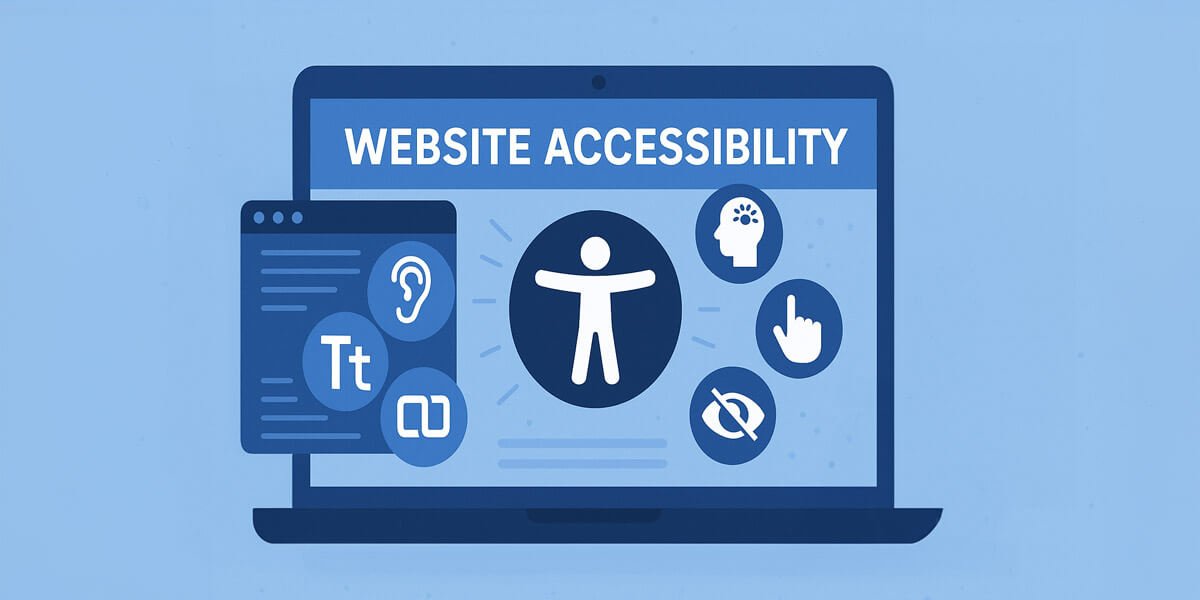
This guide covers what website accessibility means in practice for Dubai businesses, the WCAG 2.1 standards that form the international benchmark, the specific accessibility requirements relevant to bilingual Arabic/English sites, and how to audit and improve your current site's accessibility without a full rebuild.
The UAE Legal and Policy Context for Website Accessibility
UAE Federal Law No. 29 of 2006 on the Rights of People of Determination establishes broad obligations for organisations to remove barriers to access. While the law does not prescribe specific technical standards for digital accessibility in the way that, say, the European Accessibility Act does for EU businesses, the direction of policy travel is clear: Dubai's government has made digital inclusion a strategic priority. Organisations providing government or public services are subject to more specific accessibility requirements; private sector businesses are increasingly expected to align with international standards as Dubai positions itself as a leading accessible city.
The practical implication for Dubai businesses in 2026 is that WCAG 2.1 Level AA compliance — the international business standard — represents both current best practice and the likely direction of any future UAE digital accessibility regulation. Businesses that achieve AA compliance today are ahead of the regulatory curve rather than scrambling to catch up if requirements become formalised.
Arabic Accessibility — The Bilingual Dimension
Accessibility for Dubai websites has a bilingual dimension that global WCAG guides do not address: Arabic RTL content requires specific accessibility implementation beyond the standard guidelines. As covered in our Arabic and bilingual website design guide, the lang attribute must be set correctly for each language version (lang="ar" for Arabic, lang="en" for English) to enable screen readers to switch language voices appropriately. Arabic screen readers (Voiceover with Arabic, NVDA with Arabic language packs, Android TalkBack) require the dir="rtl" and correct lang attribute to render Arabic content correctly for visually impaired users. A bilingual website that is accessible in English but lacks correct language tags on the Arabic version is inaccessible to Arabic-speaking screen reader users — exactly the audience most likely to need that version.
The 10 Most Common Accessibility Failures on Dubai Business Websites
| Failure | WCAG Reference | Who It Affects | Fix (Developer Effort) |
|---|---|---|---|
| Images without alt text | 1.1.1 Non-text Content (A) | Visually impaired users using screen readers hear nothing or "image" with no context | alt="descriptive text" on every <img>. Decorative images: alt="". 1-2 hours for a full site audit. |
| Insufficient colour contrast | 1.4.3 Contrast Minimum (AA) | Low vision users, users in bright sunlight — very common on Dubai mobile use | Check all text/background combinations with the WebAIM Contrast Checker. Target 4.5:1 for normal text, 3:1 for large text. Common failure: light grey text on white backgrounds. |
| No keyboard navigation | 2.1.1 Keyboard (A) | Users who cannot use a mouse; many assistive technology users | Tab through your entire site without touching the mouse. Every interactive element (links, buttons, forms, menus) must be reachable and operable via keyboard alone. |
| Missing focus indicator | 2.4.7 Focus Visible (AA) | Keyboard users cannot see where their cursor is on the page | CSS :focus { outline: 3px solid #0f2652; }. Never use outline: none without a replacement focus style. Common Elementor and theme default failure. |
| Form fields without labels | 1.3.1 Info and Relationships (A) | Screen reader users cannot identify what each form field is for | Every <input>, <select>, and <textarea> must have an associated <label> element (not just placeholder text, which disappears on entry). |
| Videos without captions | 1.2.2 Captions (A) | Deaf and hard of hearing users; users in noisy environments (very common in Dubai) | YouTube's auto-captions provide a starting point but require review for accuracy. Embedded videos should use <track> element with a VTT caption file. |
| Incorrect heading hierarchy | 1.3.1 Info and Relationships (A) | Screen reader users navigate by headings; broken hierarchy creates confusion | One H1 per page (the main title). H2 for major sections, H3 for subsections. Do not skip levels (H1 → H3 without an H2). This is also a mild SEO signal. |
| Touch targets too small on mobile | 2.5.5 Target Size (AA in WCAG 2.2) | Users with motor impairments; users with larger hands; older users — significant population in UAE | Minimum 44×44 CSS pixels for all tappable elements. Common failure: small social media icons, close buttons on modals, pagination links. |
| Missing Arabic lang attribute | 3.1.1 Language of Page (A) | Arabic screen reader users — the bilingual accessibility gap unique to Dubai sites | <html lang="ar" dir="rtl"> on Arabic pages. <html lang="en"> on English pages. WPML and Polylang handle this automatically when configured correctly. |
| PDFs not tagged for accessibility | 1.1.1 Non-text Content (A) | Screen reader users cannot read untagged PDFs; very common for menu PDFs, service brochures | Create accessible PDFs from Word or Adobe InDesign using the accessibility export setting. For existing PDFs: Adobe Acrobat Pro has an accessibility checker and auto-tagging feature. |
Accessibility as a Commercial Asset: The Business Case Beyond Compliance
Accessibility improvements consistently benefit all users, not only those with disabilities. The improvements required for WCAG AA compliance — sufficient colour contrast, keyboard navigability, clear heading structure, descriptive link text, properly labelled forms — all improve the experience of users without disabilities simultaneously. A form that works for a screen reader user also works more reliably for a user on a slow connection who is waiting for JavaScript to load. A page with a clear heading hierarchy is easier to scan for all users. Alt text on images means your content is findable in image search and meaningful to users when images fail to load.
The SEO dimension of accessibility is meaningful. Screen readers and search engine crawlers use HTML in similar ways: they both rely on semantic structure, alt text, heading hierarchy, and descriptive link text to understand page content. An accessible site is almost always a more search-friendly site. The Core Web Vitals improvements covered in our website speed optimisation guide overlap with accessibility improvements: fast-loading pages are more accessible to users on mobile connections, and stable layouts (CLS improvements) reduce the risk of accidentally activating elements for motor-impaired users.
Key Takeaways
- UAE Federal Law No. 29 of 2006 and the Dubai Disability Strategy 2030 establish accessibility as a legal expectation and a strategic priority for the UAE government. WCAG 2.1 Level AA is the international business standard for digital accessibility — the target for any Dubai business website and the likely benchmark for any future UAE digital accessibility regulation.
- The 10 most common accessibility failures on Dubai business websites — missing alt text, insufficient colour contrast, no keyboard navigation, missing focus indicators, unlabelled forms, uncaptioned videos, broken heading hierarchy, undersized touch targets, missing Arabic lang attributes, and inaccessible PDFs — are all fixable without a site rebuild. Most require between 30 minutes and a few hours of developer work each.
- Arabic accessibility is a Dubai-specific requirement absent from global WCAG guides:
lang="ar"anddir="rtl"attributes on Arabic pages are required for Arabic screen readers to render content correctly. A bilingual website that is WCAG-compliant in English but lacks correct language attributes on its Arabic version is inaccessible to Arabic-speaking screen reader users. - Accessibility improvements benefit all users, not just those with disabilities: colour contrast improvements help users in Dubai's bright sunlight, keyboard navigability improvements help users on slow connections, and semantic heading structure improves both screen reader usability and SEO simultaneously. Accessibility is a UX and SEO investment with compliance as a secondary benefit, not a compliance cost with UX as a secondary benefit.
- Google's Lighthouse tool (free, built into Chrome) provides an automated accessibility audit on any page in under two minutes, identifying the most common WCAG failures with specific element references. This is the starting point for any Dubai business website accessibility audit before commissioning developer remediation work.
Sources Referenced in This Article
- W3C Web Accessibility Initiative — WCAG 2.1 Guidelines (Level A, AA, AAA criteria; non-text content; keyboard; focus visible; colour contrast requirements)
- UAE Federal Law No. 29 of 2006 on the Rights of People of Determination (amended 2019 — legal obligations for organisations serving the public)
- Dubai Disability Strategy 2030 — UAE government digital inclusion commitments and policy direction
- World Health Organization — World Report on Disability 2011 (1.3 billion people globally with disabilities; 15% of global population)
- WebAIM — Colour Contrast Checker (4.5:1 minimum for normal text; 3:1 for large text — WCAG AA standard)
- Google — Lighthouse Accessibility Audit documentation (automated WCAG testing; Lighthouse scoring methodology)
Make Your Dubai Website Accessible and Inclusive
Wisdom IT Solutions conducts WCAG 2.1 Level AA accessibility audits for Dubai business websites — identifying failures, prioritising remediation by impact, implementing fixes, and ensuring your Arabic/English bilingual site is accessible to all users including those using assistive technologies.
Get an Accessibility Audit